 Picaroo
Nothing leaves your phone
No account. No servers. No tracking. Even Magic Scan reads your photos on the device — because there is nowhere to upload them to.
Two photos. One bounce. That's a picaroo — the little movement between two moments, looping forever. Nothing to learn, nothing to upload, nothing to sign up for.
Free to make · No account · Nothing ever leaves your phone
No timeline. No layers. No tutorial. If you can pick a photo, you already know how to use Picaroo.
A before-and-after, a peekaboo, a double take. Or shoot a burst right in the app and let Picaroo pick the two best frames for you.
Zippy, Bouncy, Breezy, Dreamy — tap a speed or slide until the wobble is exactly right.
Share straight from Picaroo, or drop it in your camera roll and post it from anywhere.
Can't decide which photos? Magic Scan reads your recent shots for pairs taken moments apart — bursts, changing expressions, small movements — and hands you ready-made bounces. All of it on your phone, in seconds.
These are the screens you'll actually use, in the order you'll meet them. No sign-up, no onboarding carousel, no settings you have to understand before you start.
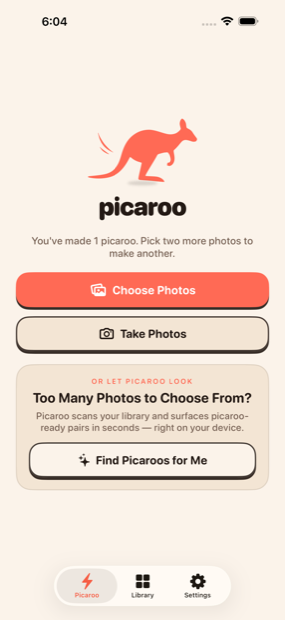
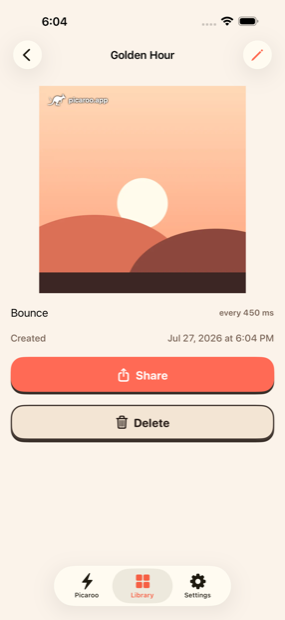
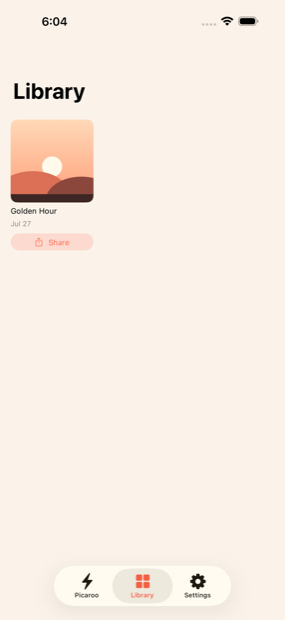
Every camera roll is already full of picaroos. The burst you forgot you took. The second attempt at the same photo. The blink between two smiles. You'd never scroll back far enough to find them.
Magic Scan does. One tap, and Picaroo reads your recent photos for pairs taken moments apart, then hands them back as finished bounces — ready to keep or throw away.
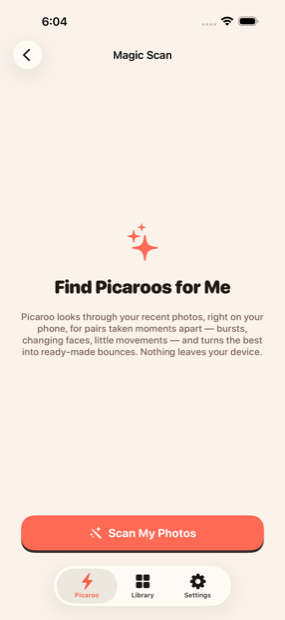
Real screenshots, straight off an iPhone — the same ones on the App Store listing. Go make one →
No account. No servers. No tracking. Even Magic Scan reads your photos on the device — because there is nowhere to upload them to.
Every picaroo saves as a clean loop, the format social apps actually like. Share it directly, or pick it up from your camera roll in any app.
Change the speed, rename it, remake it. Your picaroos stay in your library, editable any time the mood strikes.
Make as many picaroos as you like without paying anything. Free includes seven shares a day, and shared picaroos carry a small Picaroo mark.
Picaroo Pro lifts the daily limit and removes the mark — $1.99 a month, $12.99 a year, or $19.99 once for lifetime access. Pro applies to everything in your library, including picaroos you made before upgrading.
Picaroo is made by a very small team, and a real person reads every message. Bug reports, feature ideas, or a picaroo you're proud of — all welcome.
Working on something with Picaroo, or writing about it? Mention it in the subject line and we'll get back to you sooner.